

All Verified & Tested Prompt Recipes

The verified prompt library for visual AI.

Stop burning expensive GPU compute guessing parameters. Browse tested prompt recipes for Midjourney, Flux, and Runway with verified aspect ratios, seeds, negative prompts, and camera movements.
Trending:
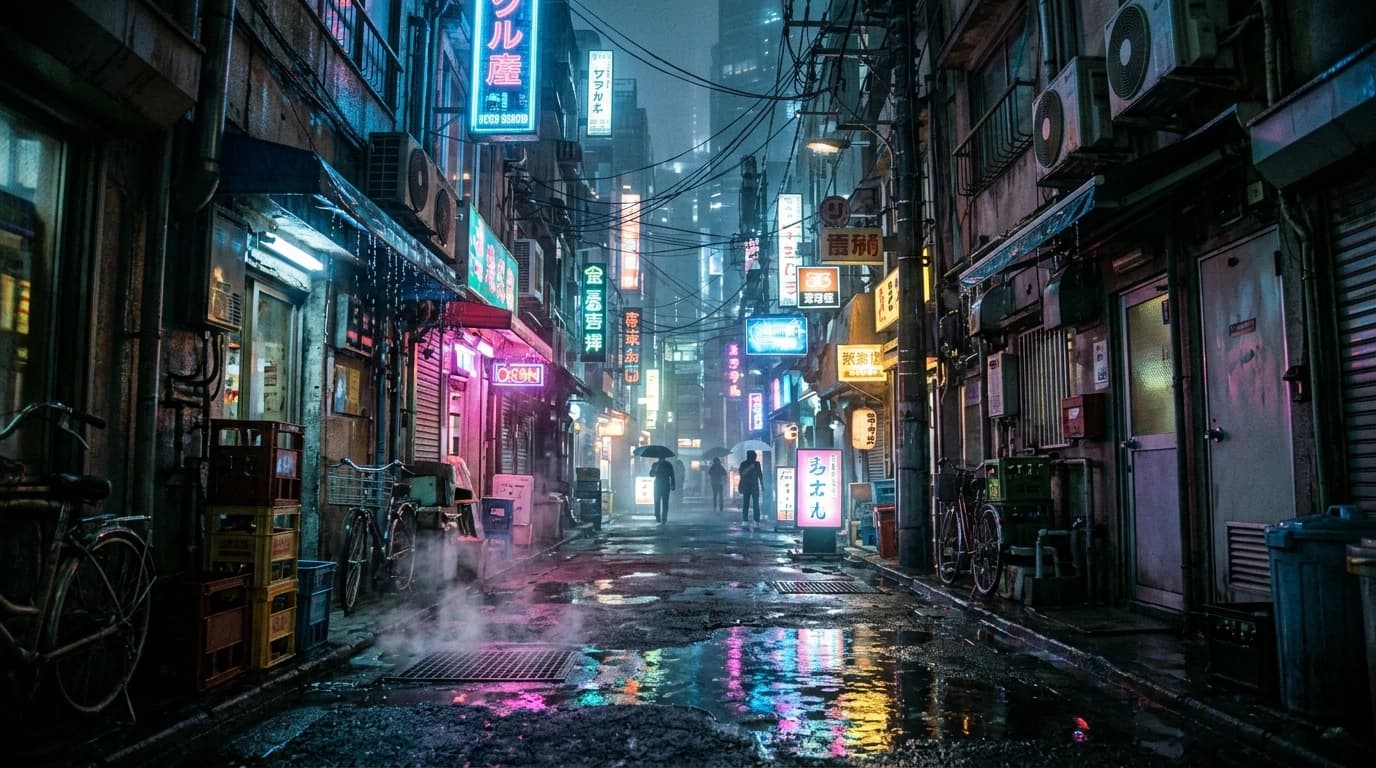
Featured Recipe • Neo-Tokyo Rainy Alleyway
Live Recipe Outcome16:9 • 35mm

Featured Recipe • Neo-Tokyo Rainy Alleyway

Verified Blueprint • Multi-AI Engine

Inspect

Cinematic wide angle shot of a neon-drenched narrow alley in Neo-Tokyo after heavy rainfall, reflective wet asphalt pooling puddles with anamorphic lens flare reflections, steam rising from sewer grates, shot on ARRI Alexa 65, Cooke Anamorphic 35mm f/1.8 --ar 16:9 --style raw --v 6.1

--ar 16:9 --style raw --v 6.1
Prompt Stream(3 verified recipes)

Explore Prompt Recipes

Looking for More Recipes?

Showing 50 curated prompts on the homepage. Dive into our complete archive of verified AI image and video recipes.

Browse All 3 Prompts
Camera Kinematics & Motion

Direct Camera Motion in Runway Gen-3 & Kling 1.5

Static image prompts fail when pasted into video generators. PromptGig recipes specify exact camera kinematics: FPV dive velocity, orbiting 360 dolly moves, 1000fps slow-motion fluid physics, and 9:16 vertical hooks formatted for Reels and TikTok.

Browse Video PromptsTested on Runway • Kling AI • Luma
FPV DIVE & BANK

Alpine Ridge Fast Dive

Speed: 8 • 4K UHD • 16:9

360° ORBITING DOLLY

Sneaker Float Exploded

9:16 Vertical • 60fps Reel

SIDE TRACKING PAN

Cyber Cheetah Sprint

High-Speed Pan • 7s Loop

1000FPS MACRO PUSH

Espresso Crema Swirl

Fluid Dynamics • 9:16

Taxonomy

Curated Visual Categories

View All Categories
Genres & Aesthetics

Explore by Visual Genre

View All Genres
Engineered for Visual Creators

Why Prompt Creators Rely on PromptGig

Stop burning expensive GPU compute on vague prompts that produce distorted anatomy or plastic skins.

Zero Friction

1-Click Prompt Copy

Reach any copy button in 2 clicks or fewer. Ready formatted for your AI engine prompt bar.

Production Verified
Zero Guesswork

Exact Parameter Recipes

Tested aspect ratios (--ar 16:9, 4:5, 9:16), CFG guidance scales, seeds, and negative prompts included.

Production Verified
Engine Tested

Multi-Engine Compatibility

Tested and verified across Midjourney v6.1, Flux.1 Dev, Runway Gen-3, and Kling AI 1.5.

Production Verified
Knowledge Base

Frequently Asked Questions

Everything you need to know about copying and using prompts on PromptGig.

How do I use these prompts in Midjourney and Flux.1?
Simply click the "Copy" button on any prompt card or modal. The text is copied to your clipboard complete with camera lenses, lighting keywords, and syntax parameters (like --ar 16:9, --style raw, or --v 6.1). In Midjourney, type /imagine and paste. In Flux.1 Dev, paste directly into your WebUI or ComfyUI text encoder with the suggested CFG scale (3.5 - 6.0).
Do video prompts include camera movements and speeds?
Yes. Every video prompt in PromptGig specifies kinematic motion directives (such as FPV dive, orbiting 360 dolly, macro push-in, or high-speed tracking pan) alongside recommended motion speeds and aspect ratios (like 9:16 for Reels and TikTok or 16:9 for YouTube). These have been tested in Runway Gen-3 Alpha, Kling AI 1.5, and Luma Dream Machine.
Are these prompts free to use for commercial projects?
Yes, all prompts in PromptGig are freely accessible to copy and remix. You own the images and videos generated from your respective AI subscriptions (Midjourney, Runway, Flux, etc.) according to each platform’s commercial licensing terms.
Why are negative prompts important for image generation?
Negative prompts tell the neural network what to suppress—such as plastic skin smoothing, extra limbs, cartoon artifacts, or blurry textures. For models that support negative conditioning (SDXL, Flux ComfyUI), our cards provide a dedicated "Copy Negative" button to eliminate unwanted visual artifacts.
Can I submit my own prompt recipes or report issues?
In our MVP, our editorial team curates all published prompts to ensure strict quality standards. You can report any prompt with one click inside the prompt inspector modal if you discover formatting issues, tool updates, or policy concerns.